Maintenance solution for hotels

Hotel maintenance, under control.

Reports, work orders, preventive maintenance and inspections in one place. Built for hotels: rooms, equipment, technicians and external companies, from any phone.

  • In English and Spanish
  • Nothing to install
  • Data stored in the EU
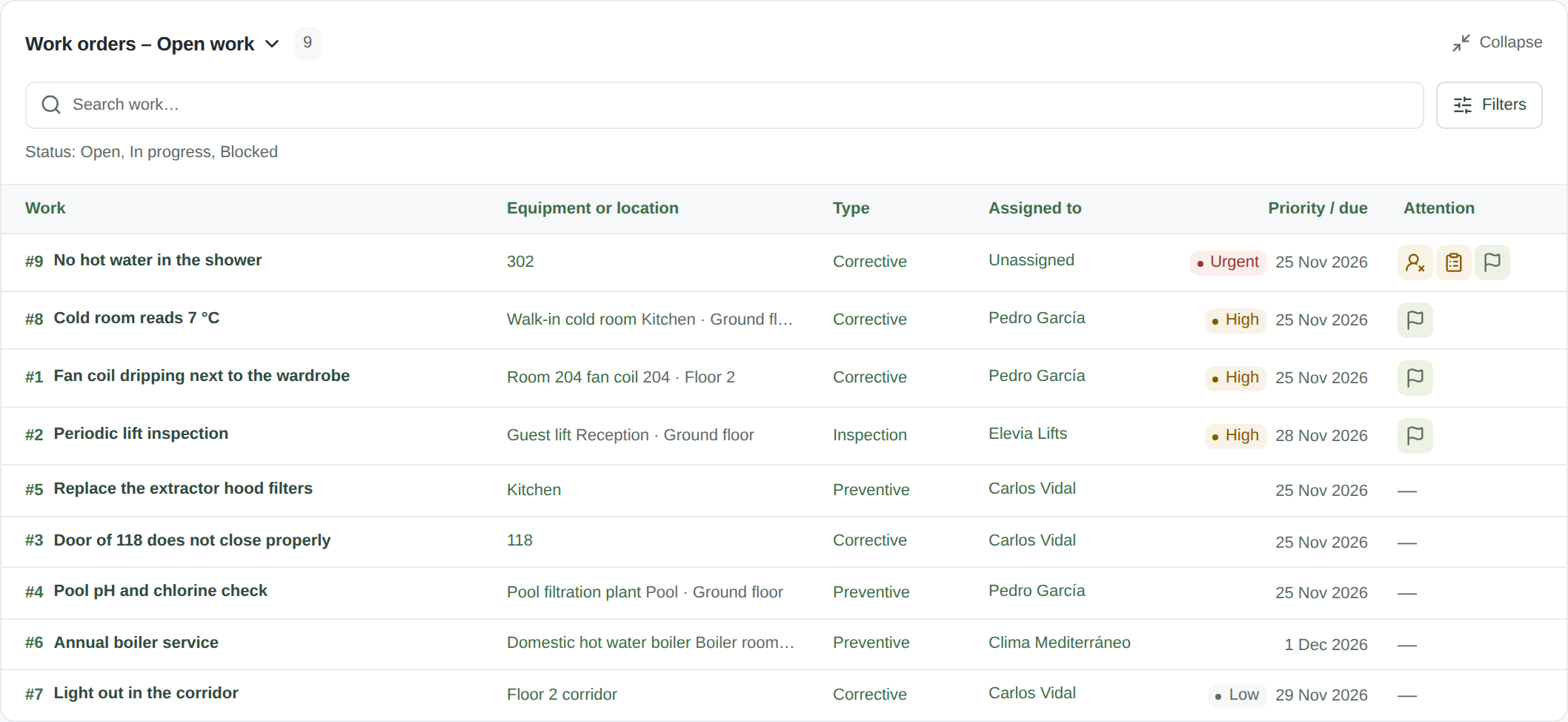
A hotel's work list: nine work orders with their assignee, priority and date.
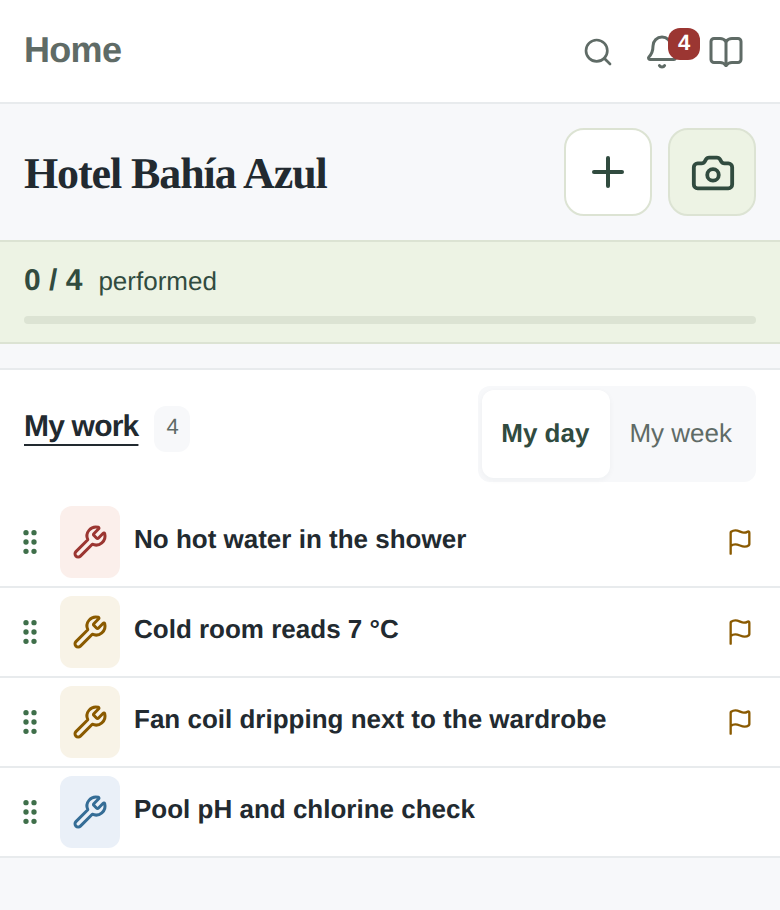
A technician's day on a phone: four tasks in priority order.

Built for hotels, not adapted from a factory

General maintenance solutions think in machines and production lines. A hotel thinks in rooms, in guests, and in tomorrow's arrivals.

  • Reports by QR code, no account

    Put up the poster with your hotel's QR code. Reception, housekeeping or whoever spots the issue reports it from their phone in a minute, with photos and the room. No username, no password.

  • External companies with a link

    Send the work order to the lift company or the refrigeration engineer by email or WhatsApp. They open the link, see only that order and record what they did. They reach nothing else.

  • Inspections with their evidence

    Schedule checks and inspections, require the photo or the report before they count as done, and keep the result with the equipment. When someone asks for it, you have it.

  • Rooms and equipment with a history

    Every room and every piece of equipment keeps what was done to it, by whom and when. Before sending someone to 204, you know what happened there last time.

  • Preventive work that does not get buried

    Plans with their frequency, step-by-step procedures and readings such as pool pH. A check that was missed stays marked as missed: the next one does not erase it.

  • An assistant that drafts while you decide

    Ask what is due today or tell it what changed. It proposes changes as cards and nothing is saved until you accept. It also fills in an equipment record from a photo of its nameplate.

And also

  • One hotel or several, with a chain view
  • Contracts and warranties with their dates
  • Manuals and documents next to each piece of equipment
  • Each person in their own language

From fault to fix in three steps

The whole journey of a report, as it looks on a phone. The screens are the application itself, with an example hotel.

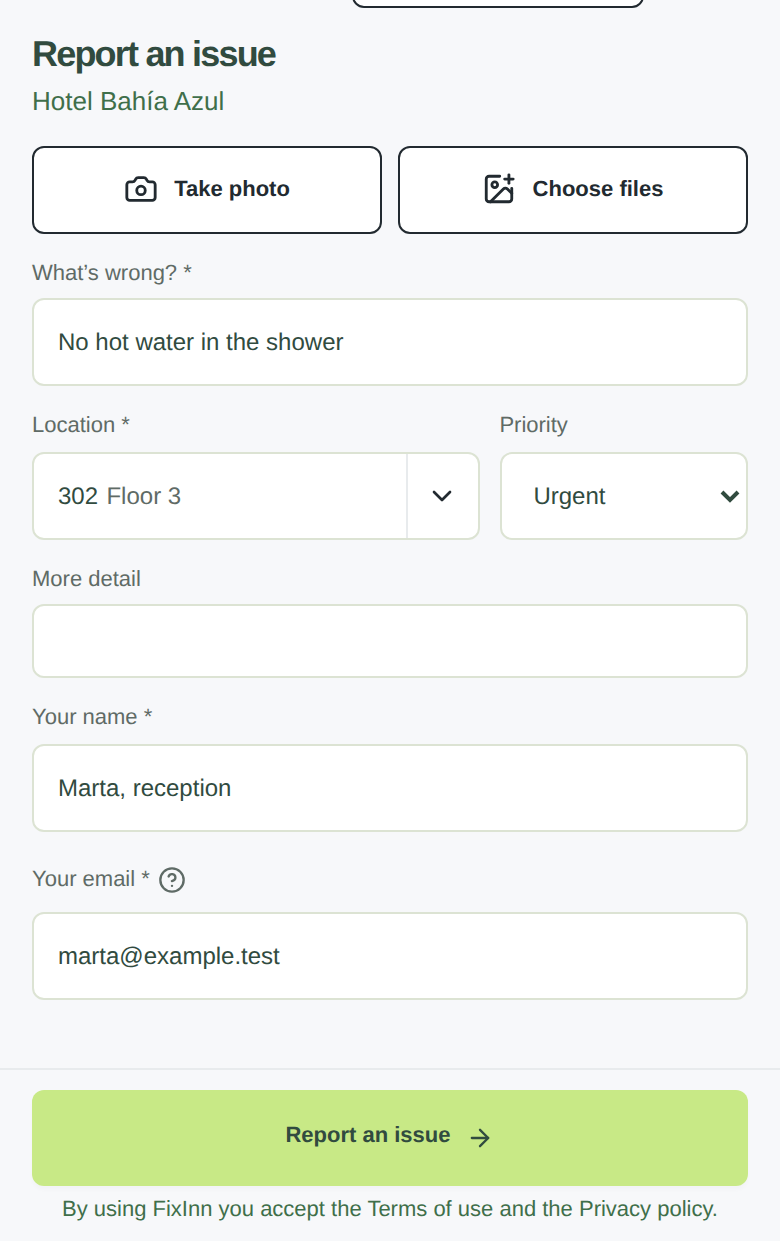
  1. Form to report an issue: photos, what is wrong, location, priority and name.

    Someone spots an issue

    They scan the hotel's QR code, say what is wrong, choose the room and send it. They can add up to six photos.

  2. A technician's home screen with the tasks for the day.

    Maintenance gets it and assigns it

    The manager sees it at once with the rest of the work, sets the priority and assigns it. It appears in the technician's day.

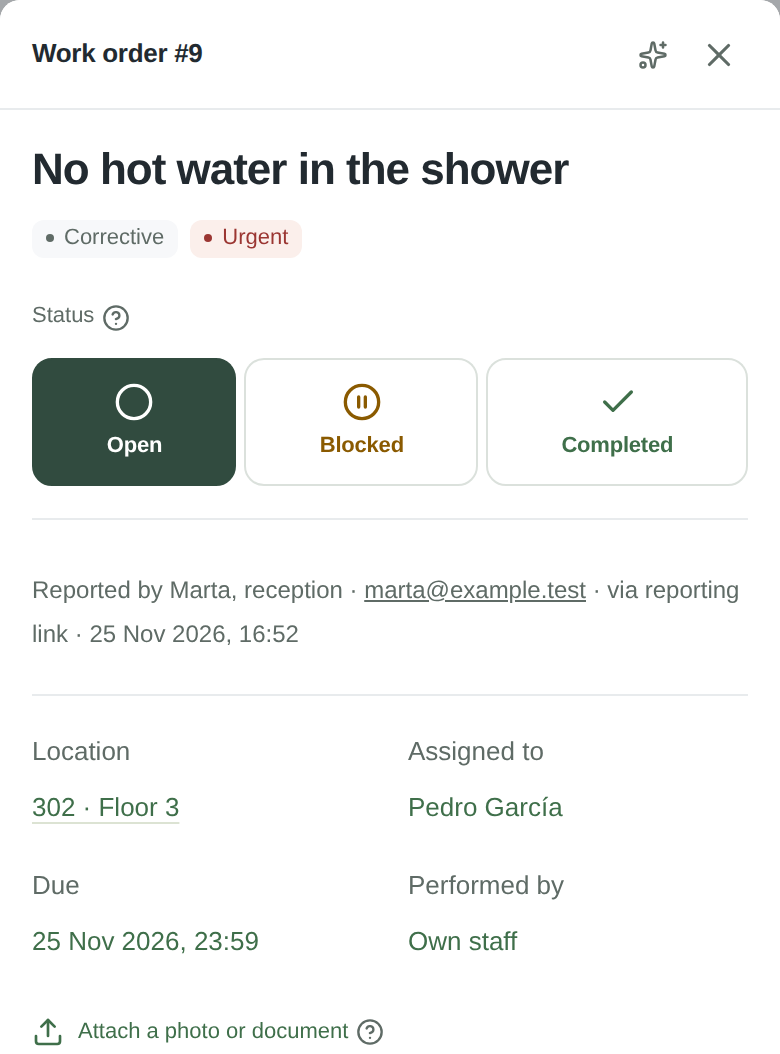
  3. A work order on a phone: status, room, assignee, due date and who reported it.

    It gets fixed, and it is on record

    The technician opens the order, changes its status and attaches photos or documents. It stays in the history with who reported it, who did it and when.

Everyone's day, at a glance

Share out the work by dragging each task to whoever will do it, by day or by week.

  • Your own technicians and outside companies on one board
  • Unassigned work in a column of its own
  • Each technician sees their order on their phone
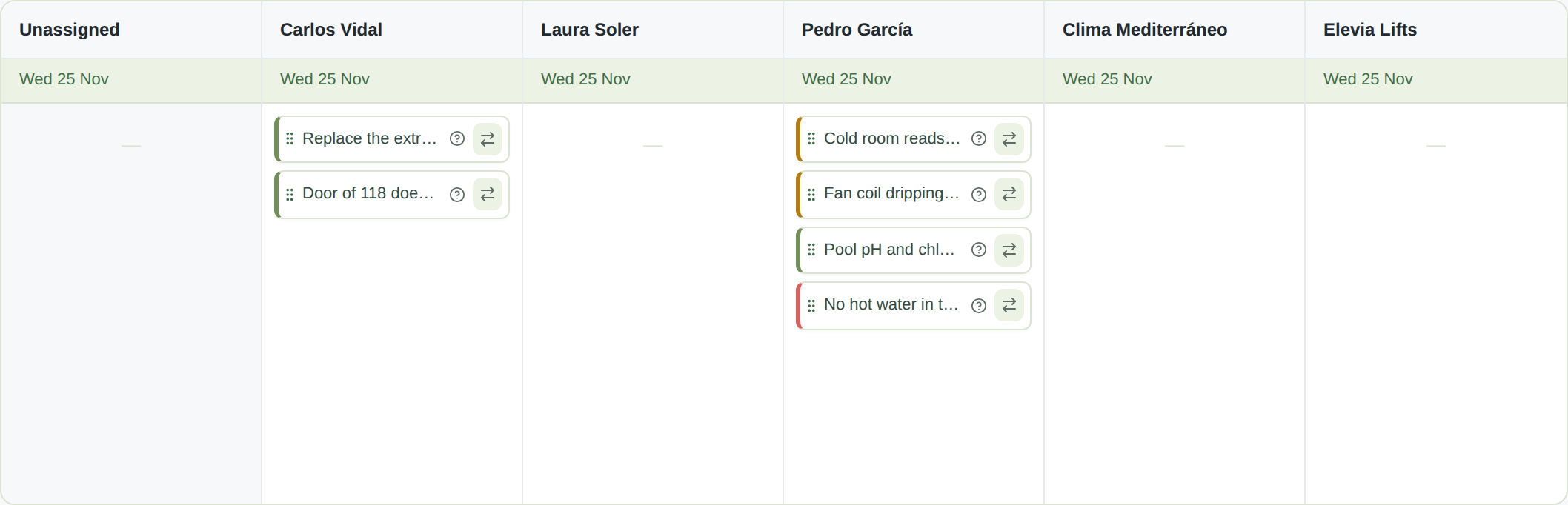
The day's planning: one column per person with their tasks.

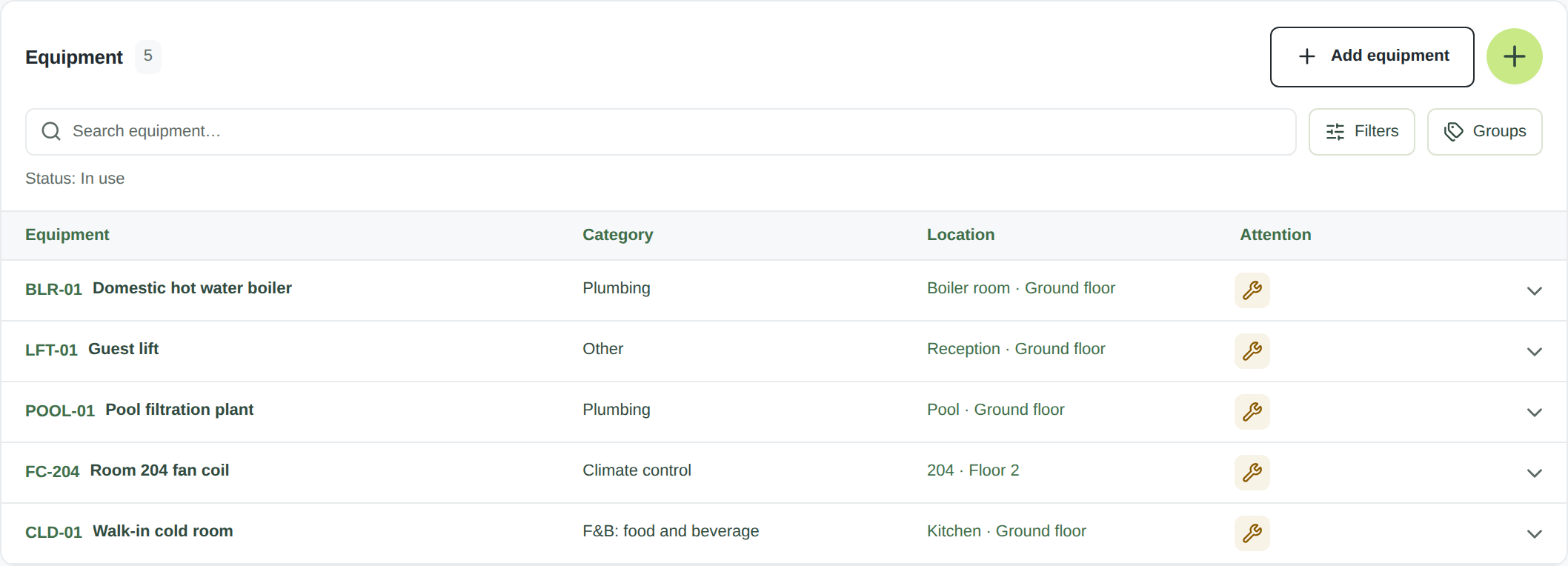
Every piece of equipment, with its record

Boilers, lifts, cold rooms, fan coils: with their code, location, documents and the work they have open.

  • Quick registration from a photo of the nameplate
  • Warranties and contracts with their dates
  • Open work on each piece of equipment, flagged in the list
The hotel's equipment register with code, category and location.

A different screen for each person

Everyone sees what they need, and only what is theirs to see.

  • Owners and general managers

    What is overdue and what has been done in each hotel, without asking for a report.

  • Maintenance managers

    All the work in one list, the day shared out by person, and preventive work scheduled.

  • Technicians

    Their day on their phone, in order. Open the task, do it, attach the photo, close it.

  • Reception and housekeeping

    Report in a minute and, with their own account, follow what happened to each report.

  • External companies

    They get a link to their work order. No account to create and nothing to learn.

Frequently asked questions

Is there anything to install?

No. It runs in the browser on phones and computers. It needs an internet connection: today it does not work offline.

Which languages does it come in?

English and Spanish. Each person chooses theirs, and what they write is kept exactly as they wrote it.

Does it connect to my PMS?

Not today. FixInn is not connected to property management systems, building management systems, accounting or purchasing.

Does it guarantee that I comply with regulations?

No. FixInn records your plans, inspections and evidence so that you can show what was done. Which regulations apply to your hotel is for a qualified professional to confirm; the application does not certify it.

Where is the data stored?

The database and the files are stored in the European Union. The AI features send their providers only what you choose to send, and you can always work without them.

How do I start?

Ask for a demo. We show you the application with an example hotel and, if it fits, we set up yours and help you get going.

Shall we look at it with your hotel?

Tell us how many hotels and rooms you have and how you handle maintenance today. We will show you FixInn in half an hour, with no obligation.

Request a demo

Or write to us at hello@fixinn.ai